Make the whole video
Lightweight model launchers are great for one-off clips. ComfyStudio is for the whole production flow: script, shot plan, generation, timeline edit, upscale, effects, and export.
ComfyStudio Pro lets you generate, direct, edit, upscale, and finish videos with any ComfyUI workflow — local when you want it, cloud when it helps, timeline always included.
Windows, macOS, and Linux downloads are available now. Grab alternate builds from All releases.
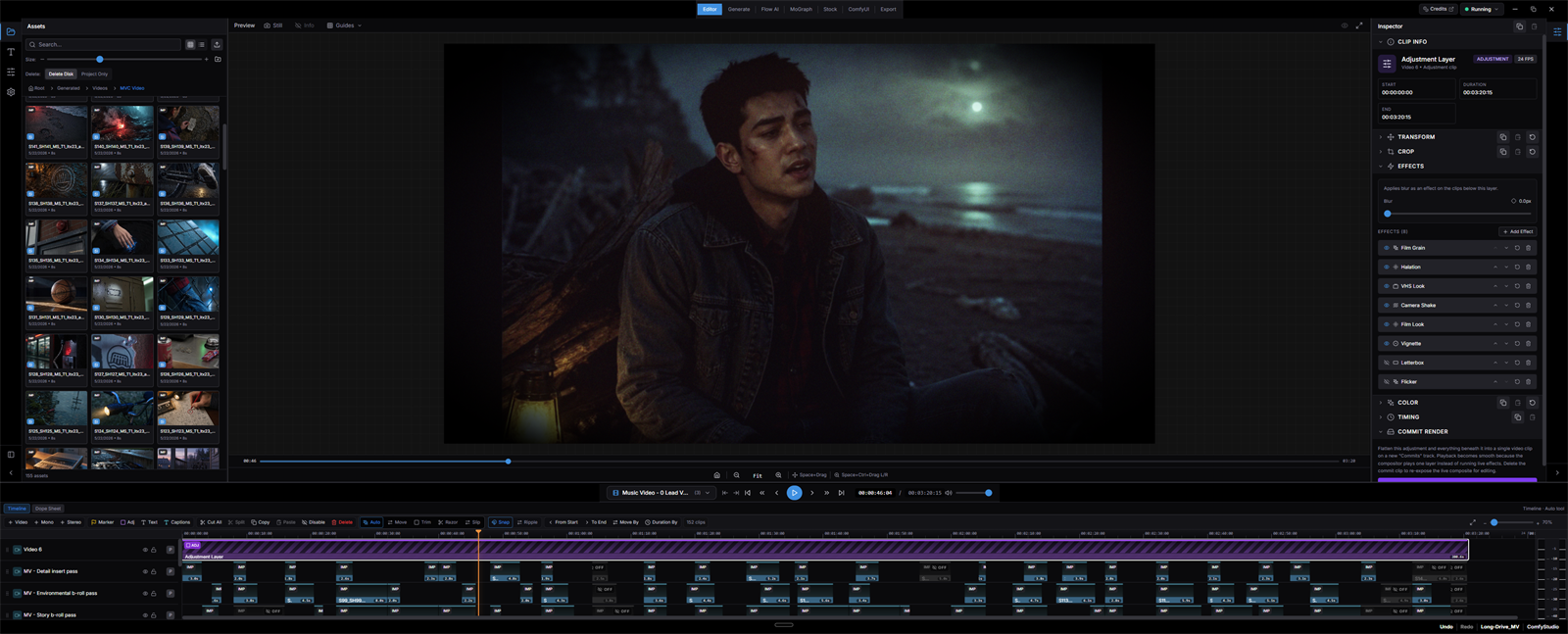
Generate clips when you need clips. Build a real project when you need a finished video. ComfyStudio keeps assets, prompts, workflows, timeline edits, effects, and exports in one place.
Lightweight model launchers are great for one-off clips. ComfyStudio is for the whole production flow: script, shot plan, generation, timeline edit, upscale, effects, and export.
Use LTX, WAN, Qwen, Kling, Vidu, Topaz, Nano Banana, Grok, Seedream, or whatever ComfyUI creators ship next. Your project stays in one workspace.
Starter kits help new users get to a working setup, while power users keep the flexibility to bring their own ComfyUI install, custom nodes, and model stack.
ComfyStudio is not locked to one backend. Use local ComfyUI on your own GPU, cloud workflows when local hardware is not enough, or mix both in the same project.
Point ComfyStudio at an existing local ComfyUI install, scan workflows, install curated dependencies, and keep generation on your own machine when the workflow fits.
Premium cloud workflows are available for models like Kling, Vidu, Grok, Nano Banana, Seedream, and Topaz. They are useful for low-VRAM machines or specialty tasks.
Generate references locally, use cloud video for hero shots, upscale selected clips, then cut everything together with audio, effects, and export controls.
The app now guides setup around outcomes: low-VRAM local work, high-quality local work, cloud quality, and music videos. You choose the goal; ComfyStudio selects the workflows.
Start with lighter local workflows like fast image generation, LTX image-to-video, and Qwen image edits before moving into heavier model stacks.
Prepare larger local workflows for high-VRAM systems, including WAN, LTX, Qwen Edit, and multi-angle character or scene generation.
Use partner workflows for premium video, image, and upscale jobs while keeping outputs inside the same ComfyStudio project.
Prepare Qwen ASR transcription, vocal extraction, and LTX audio-conditioned shot generation for timed lyric-driven Director Mode music videos.
ComfyStudio focuses on the production surface around generation: planning, editing, managing media, trying multiple passes, and finishing the timeline.
Requirements depend on the workflows you choose. That is the point: ComfyStudio can be lightweight, heavy local, cloud-first, or hybrid depending on your machine and project.
Use lower-VRAM local workflows and draft passes when you want fast iteration on consumer hardware. Workflow Setup will show what each graph needs before you queue.
Larger video workflows can require significant VRAM and disk space for model weights. High-end NVIDIA cards are best for WAN and LTX-style local video stacks.
Cloud workflows let users generate premium shots or upscale videos without forcing every project through local hardware. Credits and API keys depend on the provider.
Yes for local generation. ComfyStudio is a desktop creative workstation that talks to a local ComfyUI server, manages bundled workflows, and keeps generated outputs inside your project.
Yes. Use Bring Your Own ComfyUI, set the local port and ComfyUI folder, then run Workflow Setup to check nodes and models for the built-in workflows.
Local workflows run through your ComfyUI install. Cloud workflows use provider APIs and credits. You can mix local and cloud outputs in the same project timeline.
Single-model apps are excellent for generating clips with one engine. ComfyStudio is built around the whole video: multiple models, Director Mode, Flow AI, asset management, timeline editing, effects, upscaling, and export.
Generated media is imported into the current ComfyStudio project so you can review, organize, edit, and export without chasing files across output folders.